
YOUR DIWA PAY COMPANION
Diwa Pay.
A clearer
way in.
Find your login. Understand the app. Get a little clarity before your next step.
Login, registration & app information.
All in one independent guide.
FIRST, THE ESSENTIALS
Less searching.
More understanding.
Whether you are opening the app or looking for one specific answer, start with what you need.
Meet your guideA direct route to login.
Find the supplied mobile login destination and the details to check before you sign in.
A more informed start.
Open registration, review the invitation details and understand where account creation happens.
Make sense of the numbers.
Understand the displayed website rate and turn a USDT amount into an INR estimate.
Know your way around.
Look through the supplied home, order and asset screens before opening the platform.
A QUICK SENSE OF THE NUMBERS
USDT in.
INR, in perspective.
Try an amount at this guide’s displayed rate. The estimate helps explain the calculation before you check the actual platform quote.
Understand the displayed rateThe rate shown here is an estimate value. Check the current quote, fees and order conditions in the app.
Amount × displayed rate. Fees and rewards are excluded. This is not a live quote.
FAMILIAR BEFORE YOU BEGIN
A closer look.
One screen at a time.
Three supplied app screens. A practical look at where the account tools, orders and asset information appear.
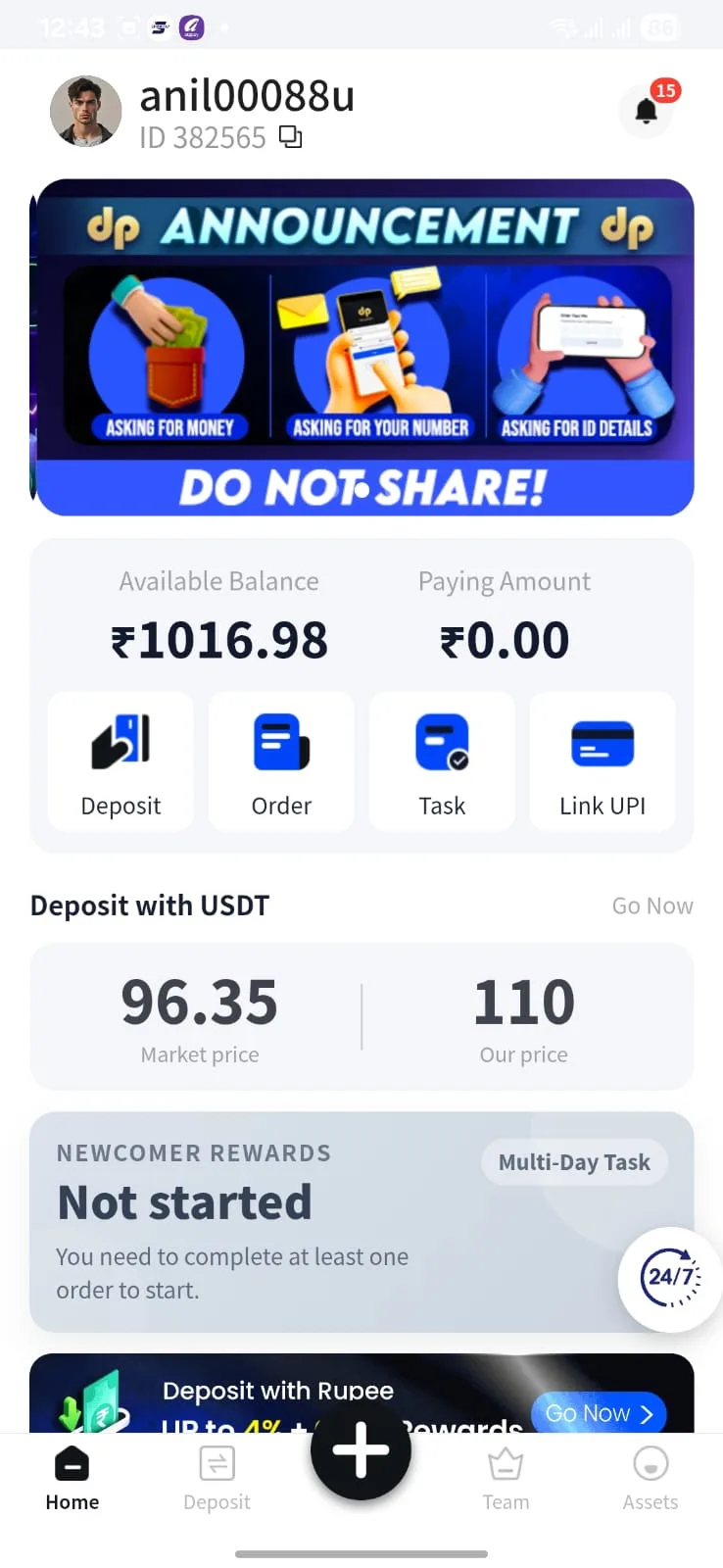
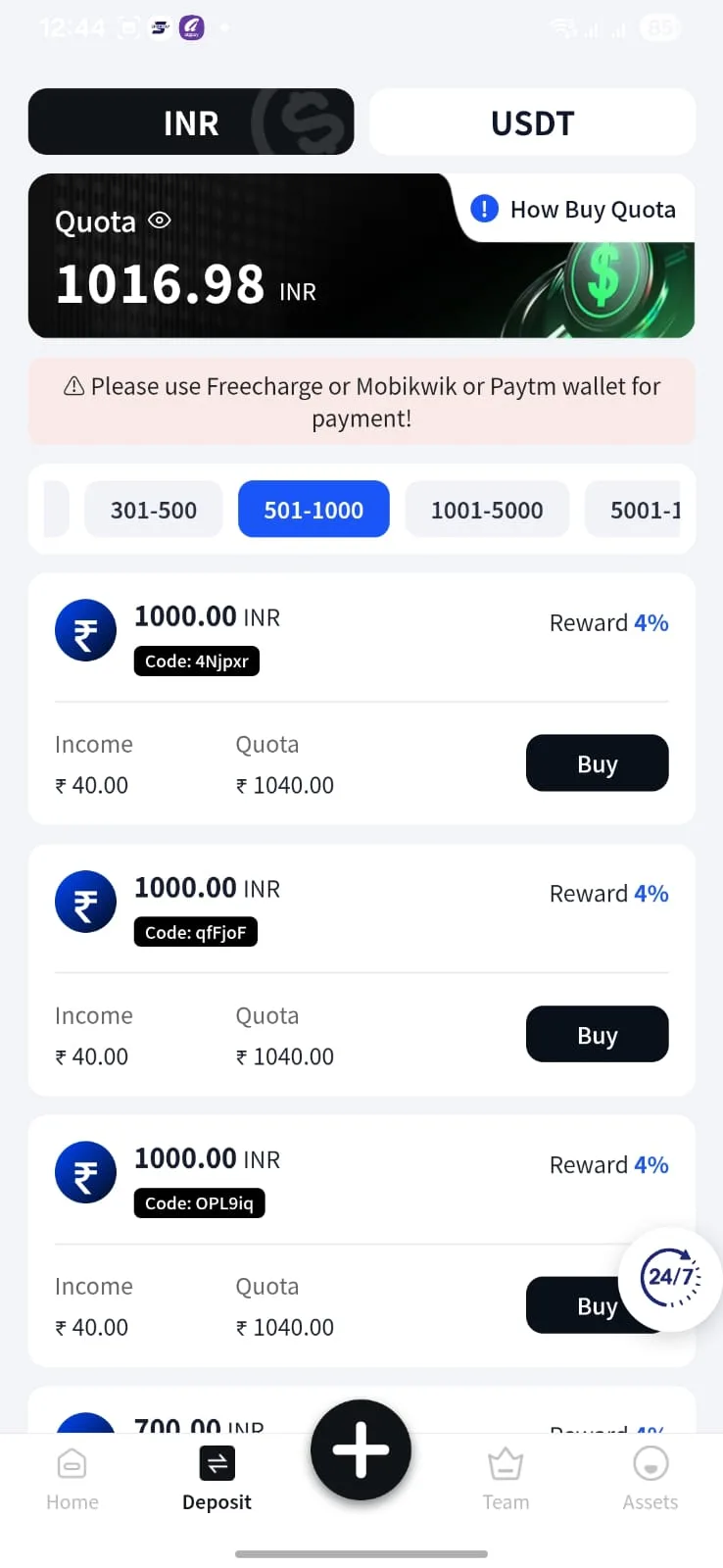
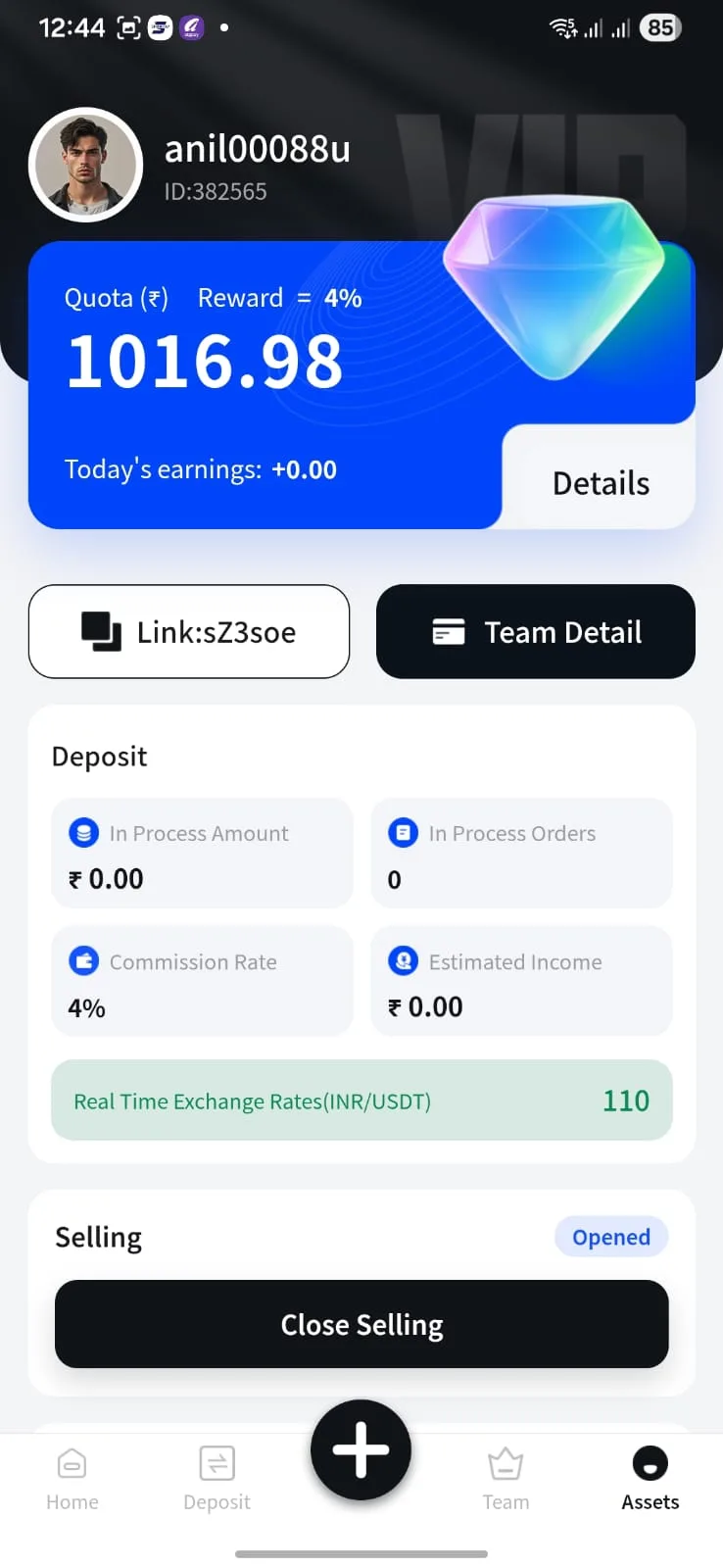
Screens can change as the platform updates. For your current balances, rate or order status, use your live account.
Open the linked mobile appKEEP IT SIMPLE
Your next step,
in four small steps.
This guide explains the screens. The linked platform handles your account and transaction actions.
-
01
Find your route.
Open the login guide, or start with registration if you are new.
-
02
Get familiar.
Look through the home, order and asset screens.
-
03
Check the details.
Read the actual rate, amount, fees and current terms in the app.
-
04
Continue there.
Follow the platform’s current instructions for your account.
GOOD ANSWERS. NO DETOURS.
Pick your starting point.
The login guide.
The supplied mobile destination, a few checks and help finding your next step.
Read the guideA more informed hello.
Registration, the invitation link and what to review before creating an account.
Read the guideBehind the numbers.
The displayed rate, a simple calculator and examples that explain the estimate.
Read the guideA FEW THINGS, MADE CLEAR
Still curious?
Start here.
Answers to the questions that tend to come up first.
Ask about this guideHow do I log in to Diwa Pay?
The supplied mobile login link opens mobile.diwapay.com in a new tab. Check the destination before entering account details. The login guide explains the route and common questions.
Where do I register or access the app?
The registration link opens diwadown.net with this website’s supplied invitation code. Account creation happens on that external platform. Read the registration guide and the platform’s current terms first.
Is the displayed USDT rate a live quote?
No. 1 USDT = ₹110 is the displayed guide value used by the calculator. Check the current platform rate, fees and exact order amount inside the app.
Is the displayed reward guaranteed?
The supplied interface displays a 4% reward figure. Eligibility, availability and terms may change. It is not a guaranteed return and is excluded from the calculator.
Does this guide handle my transactions?
No. This is an independent informational and promotional website. Account access, orders, balances, deposits and withdrawals are handled by the external platform. This guide never asks for your password, OTP or UPI PIN.